Guides
How does AI video generation work? The idea behind motion
An AI video model does not draw frames one by one; it builds the motion as a whole. We explain how diffusion was extended to time, why clips stay short and how text and photo inputs differ.
Zling AI Team7 min read
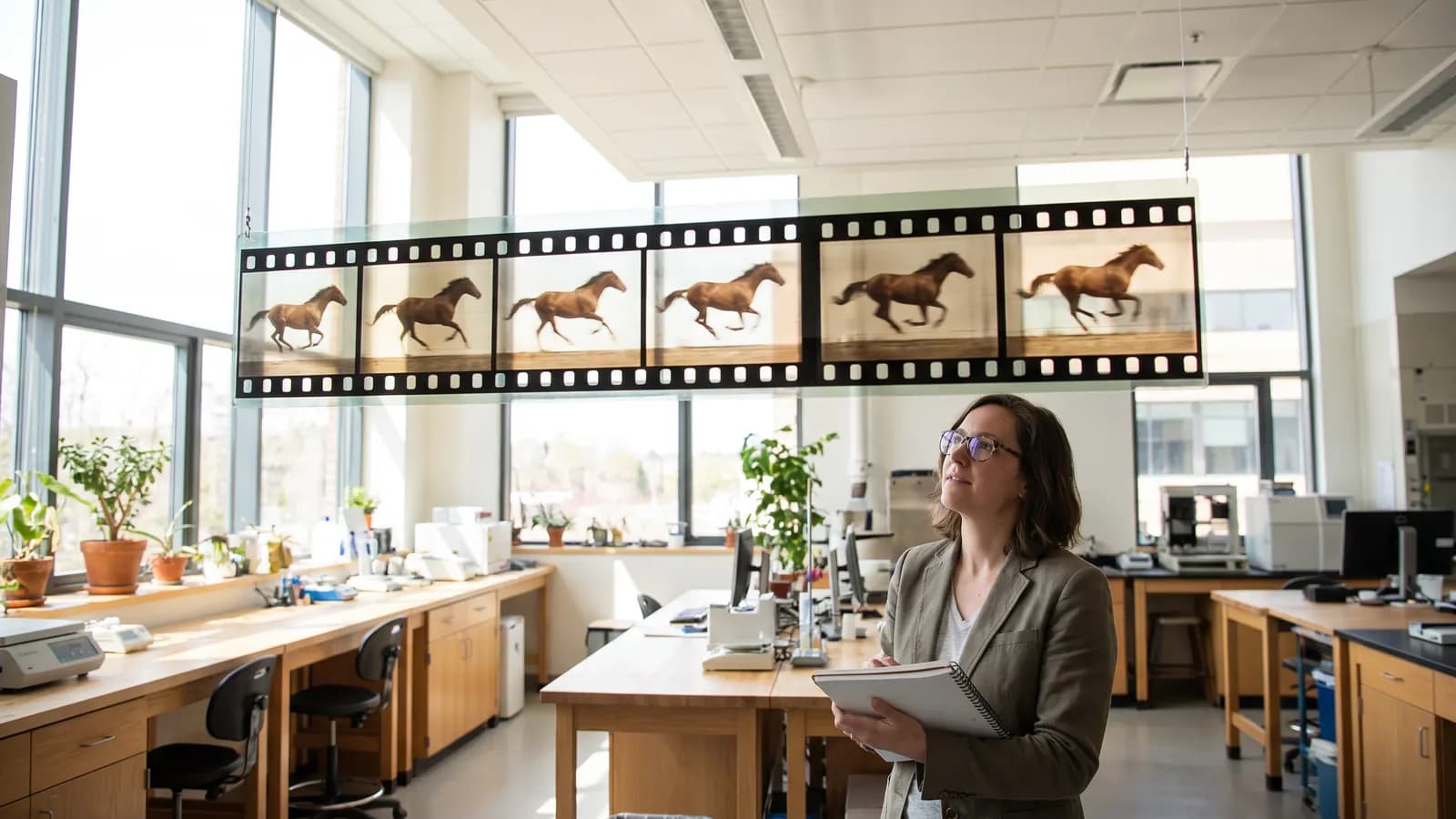
Short answer: an AI video model does not draw a video as separate pictures, frame by frame. It generates the frames together, as one package that accounts for motion and time. The diffusion idea used for image generation is still at the core, but the data is no longer a single picture; it is a sequence of frames spread over time. This article explains how that is done, why clips stay short and how text and photo inputs differ, based on what the relevant papers say.
What is a video, and how does a model see it?
A video is a set number of frames shown one after another each second. For a model, that is a block of data with height, width and a time axis. For a simple introduction to image generation, see our article How does AI image generation work?; the logic described there, starting from noise and cleaning step by step, applies here too. The difference is that what gets cleaned is a whole block that includes the relationships between frames, not a single frame.
How was diffusion extended to time?
The video diffusion paper by Ho and colleagues describes the approach as a natural extension of the standard image diffusion architecture. It highlights two things: training the model jointly on images and videos speeds up optimization and reduces gradient variance, and a new conditional sampling technique can extend a video both spatially and temporally. The same paper reports the first results on large-scale text-conditioned video generation.
Imagen Video builds a chain instead of one giant model. A base model first produces a low-resolution video, then a series of super-resolution models, alternating between spatial (sharper frames) and temporal (smoother motion), scales the result up. Resolution and smoothness can be solved in separate stages.
Newer models: spacetime patches
OpenAI's Sora technical report summarizes an idea shared by many current systems: text-conditional diffusion models are trained jointly on videos and images of variable durations, resolutions and aspect ratios, using a transformer that operates on spacetime patches of video and image latent codes. A compression network first reduces the video to a small latent space, and the patches cut from that space act as tokens for the transformer. At the end, a decoder maps the latents back to pixels. The report also says the largest model can produce about a minute of video. The report itself gives qualitative results and does not share model details.
Meta's Movie Gen paper points in a similar direction: its largest video model is a 30-billion-parameter transformer that generates 1080p HD video with synchronized audio, and it can also make personalized video from a user's image and do instruction-based editing.
What is temporal consistency, and why is it hard?
Consistency means the character's face, clothes and the scene stay the same across frames, and the motion looks physically plausible. If you generated frames independently, small differences would appear in every frame and the video would flicker. That is the main reason models process frames together: each frame is produced while "seeing" what its neighbours contain.
Consistency is still not guaranteed. In long or complex motion, a hand's finger count can change, objects can vanish, or one object can turn into another. This follows from the fact that the model does not know the rules of physics; it learns patterns from its training data, and at best it makes a very good guess.
Why are AI video clips short?
The official sources do not give a one-sentence explanation, but the numbers offer clues. The Movie Gen paper says the model's context is at most 73 thousand video tokens, which corresponds to roughly 16 seconds at 16 frames per second. A benchmark note on Google's Veo page says Veo videos are 8 seconds long. As general background, every extra second increases the number of tokens to process and the memory and compute cost; in attention mechanisms, cost grows quickly as the sequence gets longer. Errors also accumulate over time: a face that is right in the first second can drift ten seconds later.
The common solution for a longer scene is to continue an existing clip. The conditional sampling of Ho and colleagues shows the academic basis for extending a video in time by conditioning on a previous part, and the Veo page says clips can be extended with a scene extension feature. In practice this means generating several short clips in a row and editing them together.
Text-to-video versus photo-to-video
| Input | What the model does | Strength | Watch out |
|---|---|---|---|
| Text only | Builds the scene, person and motion from scratch | Free creativity | Composition and character are hard to predict |
| Photo (+ text) | Takes your frame as the start and adds motion | Look stays fixed, more control | The model invents new areas outside the photo |
| First and last frame | Generates the transition between two frames | You set the start and the end | Not every model supports it |
The Stable Video Diffusion paper says the base model learns a strong motion representation that can be adapted to downstream tasks such as image-to-video. The Veo page lists image-to-video, first and last frame, and reference-image inputs alongside text-to-video. In short, the photo answers "what should it look like", and the text answers "what should happen".
Why does training data matter so much?
The Stable Video Diffusion paper names three training stages for video models: text-to-image pretraining, video pretraining and finetuning on high-quality video. The authors state that a well-curated pretraining dataset is necessary for a good model and that captioning and filtering are part of that process. The result: what a model does well depends on what kinds of motion it has seen. Quality drops on rare motion or unusual scenes.
What can you do to improve results?
- Ask for one motion: choose a single action instead of "the woman turns, smiles, waves and walks away".
- Name the camera: static shot, slow push-in, side tracking and so on.
- Provide the starting frame yourself: if consistency matters, try photo-to-video mode.
- Generate short, then combine: controlled short clips instead of one long request.
- Try a few times: results from the same request will differ.
Example request: Static camera, a woman in a red jacket walking along a seashore in evening light, her hair lifting slightly in the wind, slow and natural pace.
How do sound and camera motion come into it?
Some models generate not only picture but also sound. The Movie Gen paper says it produces synchronized audio alongside 1080p HD video; the Veo page also says audio is generated natively and that sound effects, ambient noise and dialogue can be added. Because sound is planned together with the picture, matching lip movement and the moment of an event can be easier than adding a separate soundtrack. Even so, the page states plainly that consistent speech is still an area of active development.
For camera motion, the Stable Video Diffusion paper gives an interesting detail: the base model can be adapted to small LoRA modules trained for specific camera motions. In other words, movements such as "slow push-in" or "side slide" are a separate skill the model can learn. That is why naming the camera explicitly in your request helps the model bring that skill into play.
Common mistakes
- Writing many actions in one request: The model mixes or skips the movements.
- Not specifying camera movement: The model picks a random camera.
- Expecting perfect physics: Always watch the result frame by frame.
- Asking for a long clip at once: Consistency drops as duration grows.
- Counting on speech: The Veo page says natural, consistent spoken audio, particularly for shorter segments, remains an area of active development.
- Treating output as real or sharing it unlabelled: Some systems, such as Veo, state that they mark output with SynthID; when you share, say it is AI-made yourself too.
Summary
- Video models generate frames together, accounting for time; diffusion is the base and most use a transformer.
- Consistency between frames is the goal, not a guarantee.
- The length limit comes from compute cost and error accumulation; longer scenes are built by extending or combining clips.
- Text decides what happens, a photo decides how it looks, and first-last frame links the two.
- One motion, a clear camera and a few attempts usually give the best result.
Frequently asked questions
Does an AI video model draw every frame as a separate picture?
No. The video diffusion paper describes the approach as an extension of image diffusion and processes frames together. This tries to keep frames consistent, though it is not guaranteed.
Why are videos usually only a few seconds long?
The official sources do not give a single reason. The Movie Gen paper says its context is limited to 73 thousand tokens, roughly 16 seconds, and the Veo page says Veo videos are 8 seconds long. In general, compute cost and error accumulation grow as duration grows.
How do you get a longer video?
The common way is to continue an existing clip or to generate short clips in a row and combine them. The Veo page says clips can be extended with a scene extension feature.
Is photo-to-video or text-to-video better?
If keeping the look fixed matters, photo-to-video is usually more controlled because you provide the starting frame. If you want a free-form scene, text-to-video is enough.
Do all systems work like the model in the Sora report?
No. The report describes a method and qualitative results and does not share model details. A transformer on spacetime patches is a common approach, but systems differ inside.
Sources
- Ho ve ark.: Video Diffusion Models (arXiv:2204.03458)
- Ho ve ark.: Imagen Video: High Definition Video Generation with Diffusion Models
- Blattmann ve ark.: Stable Video Diffusion (arXiv:2311.15127)
- Meta: Movie Gen: A Cast of Media Foundation Models (arXiv:2410.13720)
- OpenAI: Video generation models as world simulators
- Google DeepMind: Veo
Related posts
Guides
How does AI image generation work? A plain guide to diffusion
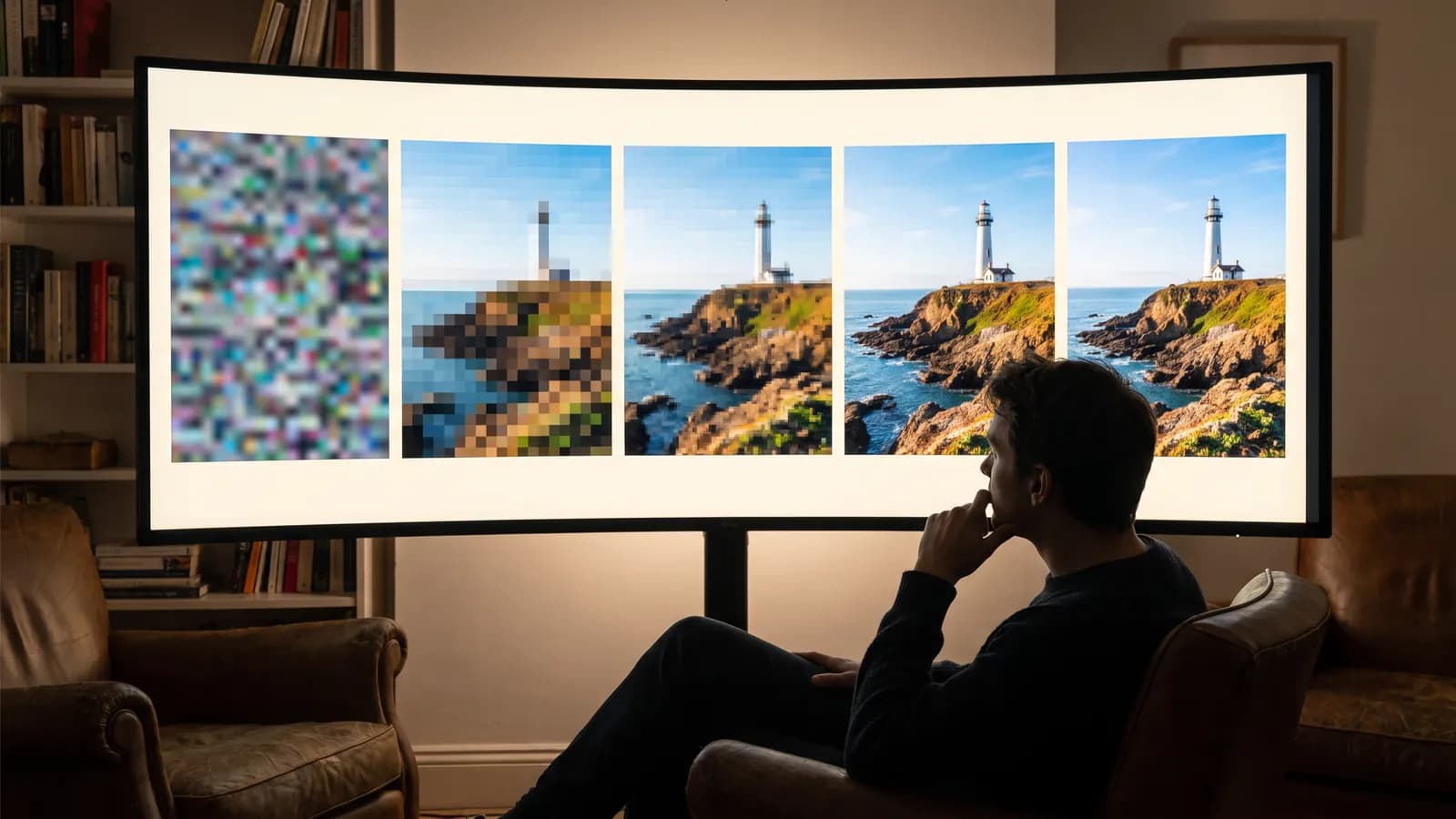
AI doesn't cut and paste images from an archive: it starts from random noise and cleans it up step by step. Learn how diffusion works, where your prompt fits in, and what the settings actually change.
10 min read

Guides
AI generation costs: how do credit and token systems work?
AI tools price generation in tokens or credits because every generation is real computation. Resolution, duration and model drive the cost; we also collected ways to spend less.
7 min read
Guides
Browser or app? What to look for when choosing an AI tool
The browser suits detailed work on a big screen, the app suits quick generation from your phone. We explain the differences in screen, uploads, privacy, payments, notifications and offline use.
7 min read