Video
AI video for Reels, TikTok and Shorts: a vertical format guide
In short-form video the first second, a vertical frame and clean pacing decide everything. We cover the 9:16 format, duration and pacing, the hook, safe areas and AI labelling rules.
Zling AI Team7 min read
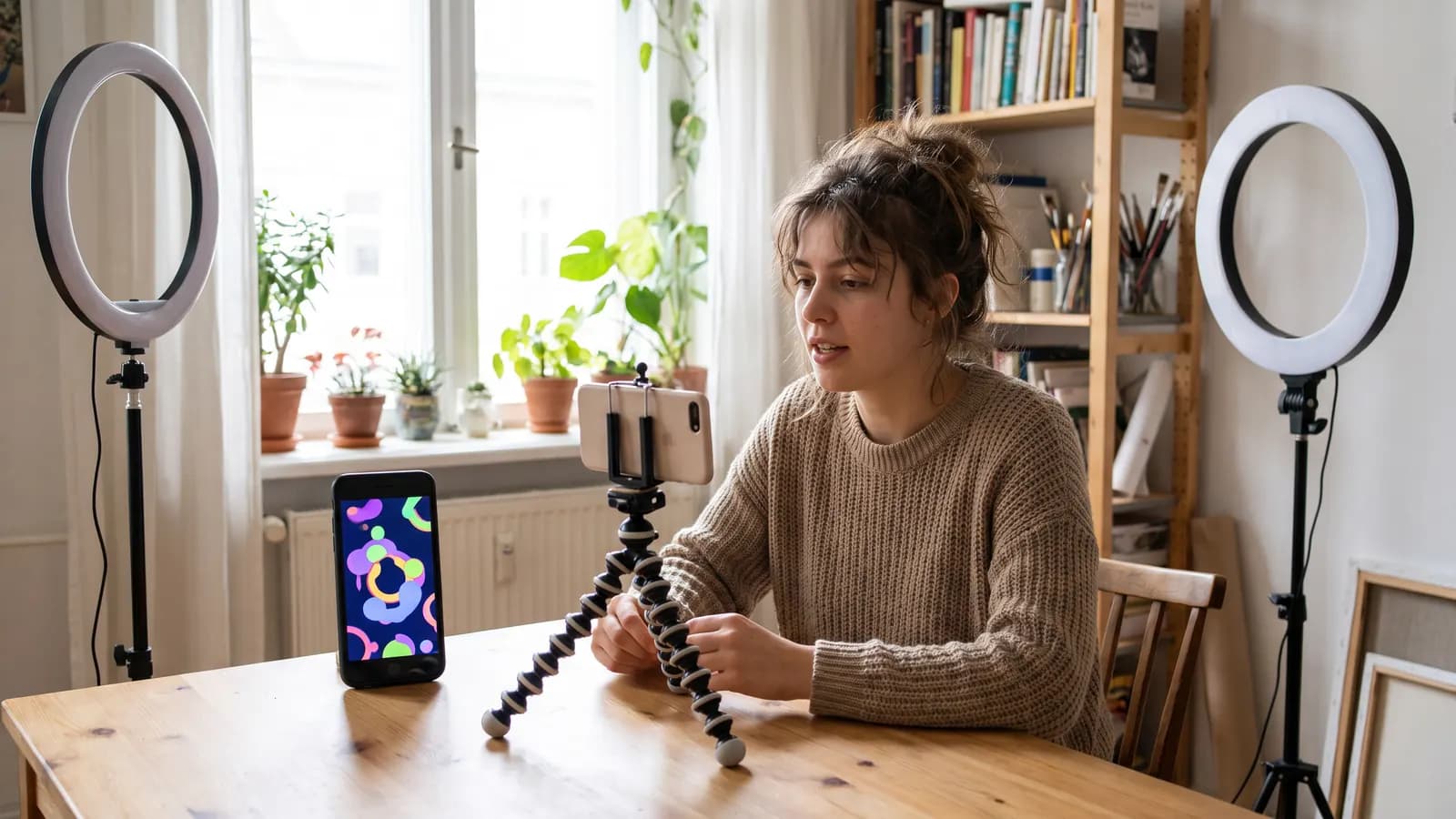
Short answer: for AI video on Reels, TikTok and Shorts three things stand out: a vertical (9:16) frame, a hook in the first second and short, tight pacing. What the three platforms have in common is that they favour vertical video that fills the phone screen; detailed duration, ratio and labelling rules vary from platform to platform and are updated over time. This article gives a shared production method, passes on the YouTube Shorts rules we could verify officially and suggests you check the current help pages for the others.
Which format is used for vertical video?
The standard ratio for vertical short video is 9:16, a frame that fills the phone screen from top to bottom. YouTube's Shorts help page states that vertical videos can be uploaded as Shorts and that the maximum upload resolution is 1080p. The page gives no specific ratio; it only says "vertical videos". So choose 9:16 as the production target, but check the platform's help page for the current ratio and resolution rules.
There are two ways to get 9:16 output in an AI tool: choose 9:16 in the tool's ratio option or produce the starting image vertically in the first place. Google's Gemini documentation lists 9:16 among the supported ratios for its image models. Cropping a horizontal clip to vertical afterwards cuts off elements at the sides; it is best to compose vertically from the start.
How do you set duration and pacing?
According to YouTube's help page, Shorts recorded with the multi-segment camera can be up to 3 minutes long. But on short-video platforms being long is not the goal; the goal is to hold the viewer to the end. Duration limits for Instagram and TikTok differ and change over time; check the current limit on each platform's help page.
AI video models also produce short clips (generally from a few seconds to a few tens of seconds; limits depend on the model). That suits short video well: one clip, one idea. You build a 15-30 second video by joining several AI clips:
- Hook (0-2 s): A single image or sentence that grabs attention.
- Development (2-20 s): Three or four short clips; each one idea.
- Close (last 2-3 s): A clear ending; a question, a result or a follow call.
Pacing rule: let the viewer see something new every 2-4 seconds. Showing the same frame for a long time leads to scrolling away. Since AI clips are short, this rhythm comes naturally.
How do you grab attention in the first second?
In short video the hook matters more than the rest of the video. Hooks that work well with AI:
- An unexpected image: A scene that would not normally happen (but do not present it as real).
- An open question: "How did I change this room in 30 seconds?"
- Result first: Show the finished result first, then how it was made.
- Strong movement: A slow push-in or a fast transition.
Vertical 9:16 shot. A tiny model city on a table suddenly comes to life: tiny cars drive along the streets, lights switch on, soft morning light. Slow push-in toward the center. Playful, bright, shallow depth of field.
The best image for a hook is usually the simplest: one subject, clear movement, clean background.
How do you think about captions and safe areas?
The platforms' interface (username, description, buttons) covers the edges of the video. If you place text or an important object near the edges it can be covered. Platforms may publish official measurements for these areas; we give no numbers here. A practical approach:
- Keep the text and the main subject near the centre of the frame; leave the bottom and right edge empty.
- Preview on your own phone before uploading; see which areas the interface covers.
- Keep captions short: one idea per line; enough contrast with the background.
- Burn text into the video for people watching without sound; but in videos with sound, keep captions where the interface allows.
Rather than having the AI generate the text, adding it afterwards in an editing app is far safer; models can break text while it moves.
How do you produce AI video for vertical?
- Reduce the idea to one sentence: What will the video show?
- Write five or six short shots: each one motion, one camera move.
- Produce a vertical starting image: a 9:16 image, consistent subject and light.
- Produce each shot as a short clip: use the same sentences describing the same subject and style.
- Join them: order them in an editing app, add text and music.
- Watch the results: Have faces, hands or text broken up?
Vertical 9:16, close-up of hands pouring coffee into a white cup on a wooden table, steam rising, warm window light from the left, slow push-in, shallow depth of field.
Do you need to label AI content?
Most platforms have a disclosure for AI content; the rules differ and can change. The example we could verify officially is YouTube's "altered or synthetic content" help page. According to the page, the following content that looks realistic must be disclosed: content that makes a real person appear to say or do something they did not, alters footage of a real event or place, or generates a realistic scene that did not occur. The page exempts non-realistic content (fantasy, animation), minor aesthetic edits such as colour, lighting, captions and sharpening, and production assistance such as idea or script generation. Disclosure is made in YouTube Studio during upload with the "AI use" field. The page also says that repeatedly skipping disclosure can lead to consequences such as labelling, content removal or removal from the partner programme.
We cannot quote the official help pages for Instagram and TikTok here; read those platforms' AI content rules before uploading. A general practice: clearly mark AI videos that look realistic and could misrepresent a real event, person or place. Fictional, cartoon-like or obviously artificial videos carry a low risk of misleading, but labelling is still a good habit.
Example: how to build a 20-second video
Think of the opening announcement of a small café. Five short clips are enough:
- 0-2 s, hook: A closed café door opens, warm light flows out from inside.
- 2-6 s: A close-up of a barista pouring coffee into a cup.
- 6-10 s: A slow pan across the pastry display on the counter.
- 10-15 s: A customer sitting by the window, a steaming cup.
- 15-20 s, close: The sign and an empty area; text and address are added in the edit.
Produce the five clips with the same light, colour and style sentences so that, joined together, they look like a single video. If you are promoting a real place and a real opening date, do not mix AI scenes with the real place: if the video promises an interior that does not exist in reality, it is misleading.
Step-by-step checklist
- Aim for vertical 9:16; check the platform's current rules.
- Build a single clear hook in the first two seconds.
- Build the video from 3-5 short clips; each clip one idea.
- Add text and music afterwards in the edit.
- Keep important elements near the centre; preview on a phone.
- Watch for face, hand and text artefacts.
- Read the platform's AI disclosure rule and mark the video if needed.
Common mistakes
- Cropping a horizontal clip to vertical: Elements at the sides get cut off.
- A slow opening: Spending the first second on a logo or an empty scene.
- Long clips: When pacing drops, viewers scroll.
- Putting text at the edge: The interface covers it.
- Having the AI generate text: Letters can break; add text in the edit.
- Skipping the label: Not disclosing realistic AI content can break the rules.
Summary
- Aim for vertical 9:16; verify ratio and duration rules on the platform's help page.
- According to YouTube, Shorts are vertical, can be uploaded at up to 1080p and can reach 3 minutes with the multi-segment camera.
- A hook in the first two seconds, something new every 2-4 seconds.
- Build the video from short AI clips; add text and music afterwards.
- Keep important elements near the centre and preview on a phone; mark realistic AI content according to platform rules.
Frequently asked questions
Which ratio is used for Reels, TikTok and Shorts?
The standard for vertical short video is 9:16. YouTube's Shorts help page says vertical videos can be uploaded as Shorts but gives no specific ratio. For Instagram and TikTok, check the current rules on the platforms' help pages.
How long should a short video be?
According to YouTube's help page, Shorts recorded with the multi-segment camera can be up to 3 minutes. But the goal is to hold the viewer: 15-30 seconds and something new every 2-4 seconds is a good start.
Do I need to label my AI video?
It depends on the platform. YouTube asks for disclosure through the 'AI use' field in YouTube Studio for content that alters footage of a real event or place or generates a realistic scene; minor aesthetic edits and production assistance are exempt. Read other platforms' rules on their own help pages.
Should I generate text inside the AI video?
Preferably not. Models can break letters while they move; adding text afterwards in an editing app is safer. Keep the text near the centre so the interface does not cover it.
Can I convert a horizontal video to vertical?
You can crop it, but the elements at the sides get cut off. It is best to produce 9:16 from the start: use the tool's ratio option or create a vertical starting image.
Sources
Related posts

Video
Photo to video: giving motion to a still image
A good frame, one motion and one camera move are enough to turn a photo into a video. We explain how to pick the photo, write prompts, set the duration and prevent common artefacts.
7 min read
Video
AI product promo video: from storyboard to edit
In a product video the product must look the same in every frame. We cover the storyboard and shot list, image-to-video consistency, adding text in the edit and honesty in advertising.
7 min read
Guides
How does AI image generation work? A plain guide to diffusion
AI doesn't cut and paste images from an archive: it starts from random noise and cleans it up step by step. Learn how diffusion works, where your prompt fits in, and what the settings actually change.
10 min read